凪NagiKeep
A calm app blocker for focus
The noise in your mind
fades away
Gently set aside the apps you keep opening
and we'll hold your notifications while you focus.
Gently set aside the apps you keep opening
and we'll hold your notifications while you focus.
凪 (nagi) — when the wind dies and the sea goes still.
We named the app after that calm, the moment your mind settles.
You use a well-known app blocker, but the notifications vanish too.
You miss messages from family, club, or work.
So you turn it off, and open the app again.
Sound familiar?
You don't have to give up either one.
It's more than just blocking.
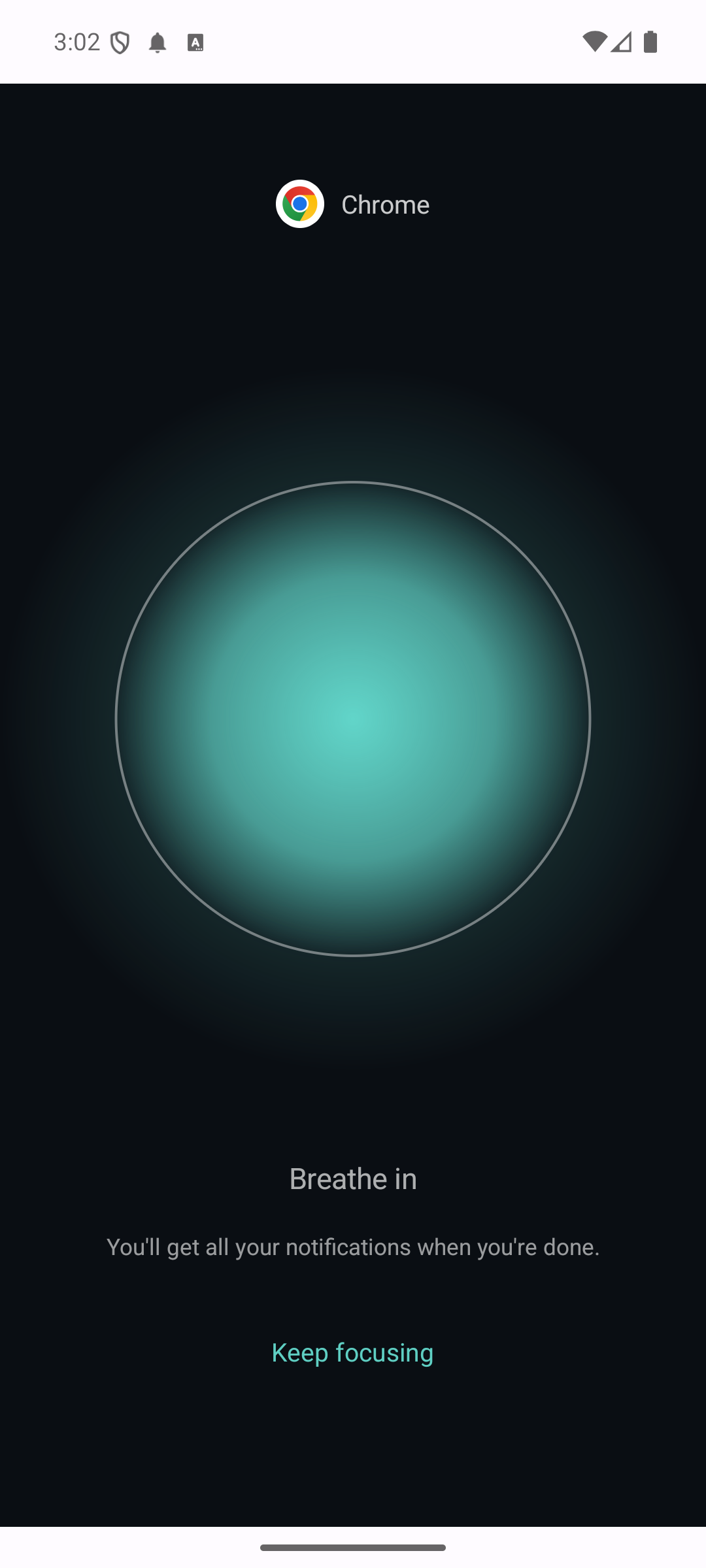
When you try to open a chosen app, a quiet screen helps you settle.
They're organized and held for you, so you can focus with peace of mind.
See everything the notification keeper does →Calls and alarms still ring during a session. Emergency calls always work.
Pick the apps to block and tap "Focus now." Or automate it with a schedule.
Open a blocked app and a calm breath helps you settle. Notifications that arrive are kept.
When you're done, read everything you were holding, all at once.
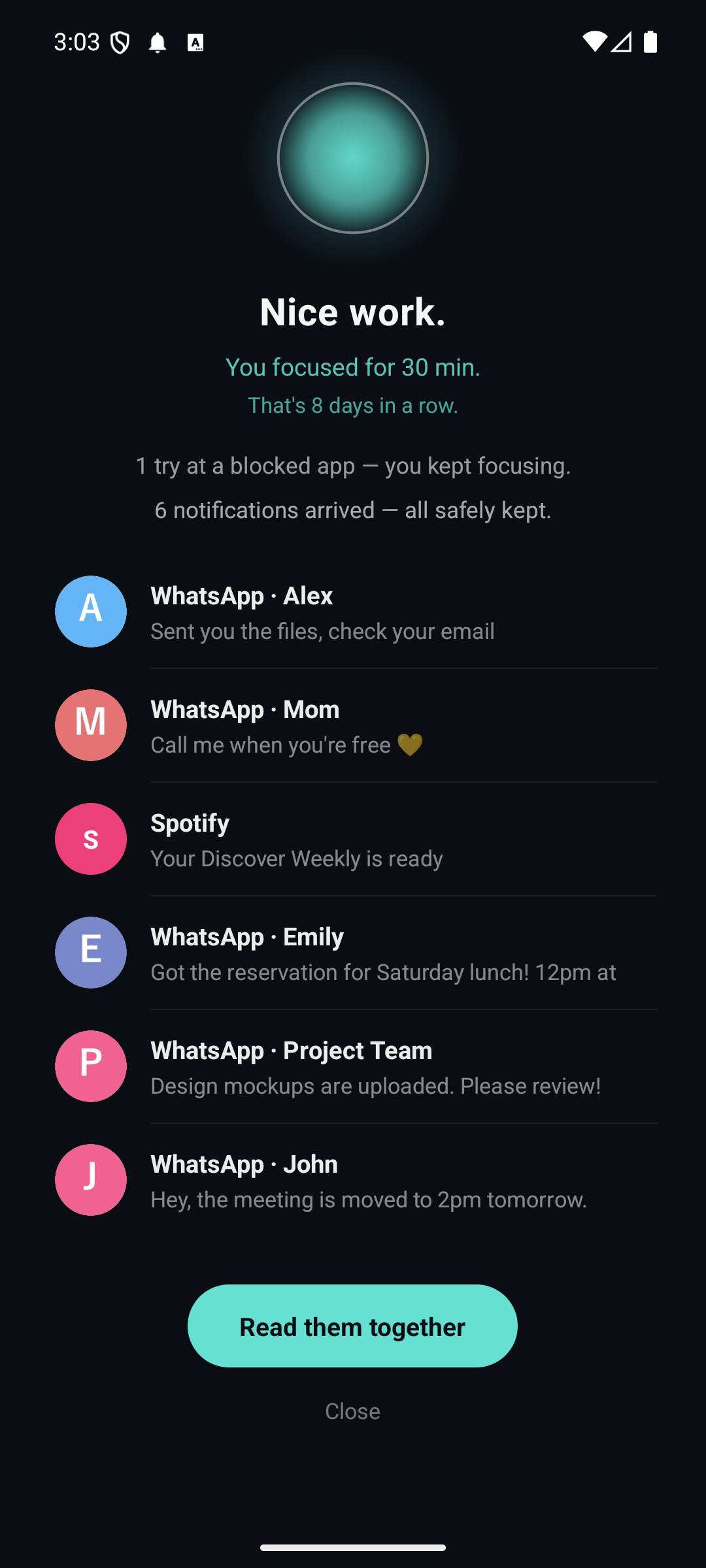
Quiet while you focus, gently shown all together when you're done. They stay even after you read them, so you can revisit anytime.
Resumes automatically after a reboot — no more "oh, it stopped without me noticing."
Calls and alarms come through during a session. Emergency calls always work.
Notifications and their contents are stored on your device. No ads, no analytics.
Really need an app? Let just that one through, this once. Want it stricter? Require a PIN.
Set an end time and it stops on its own. Pick days and hours, and focus starts by itself.
Silent mode only mutes the sound — it can't block what you see.
| Silent mode | Built-in focus mode | NagiKeep | |
|---|---|---|---|
| Stop the app | × | ○ | ○ |
| Clear notifications from view | × (still visible) | ○ | ○ |
| Keep notifications during focus | × | × | ○ gently kept |
| Read & search them later | × | × | ○ |
| Calls, alarms, emergency | ○ | ○ | ○ |
Try it free first. No ads.
Everything, including schedules.
Prices are shown in Google Play.
Calls and alarms are shown. Emergency calls always work.
On your device — your privacy stays yours.
You can unlock with a password. Even if you forget it, a short wait always unlocks you.