See it in action
- Works with the latest Android 17
- No ads
- Pro unlocked free for 7 days
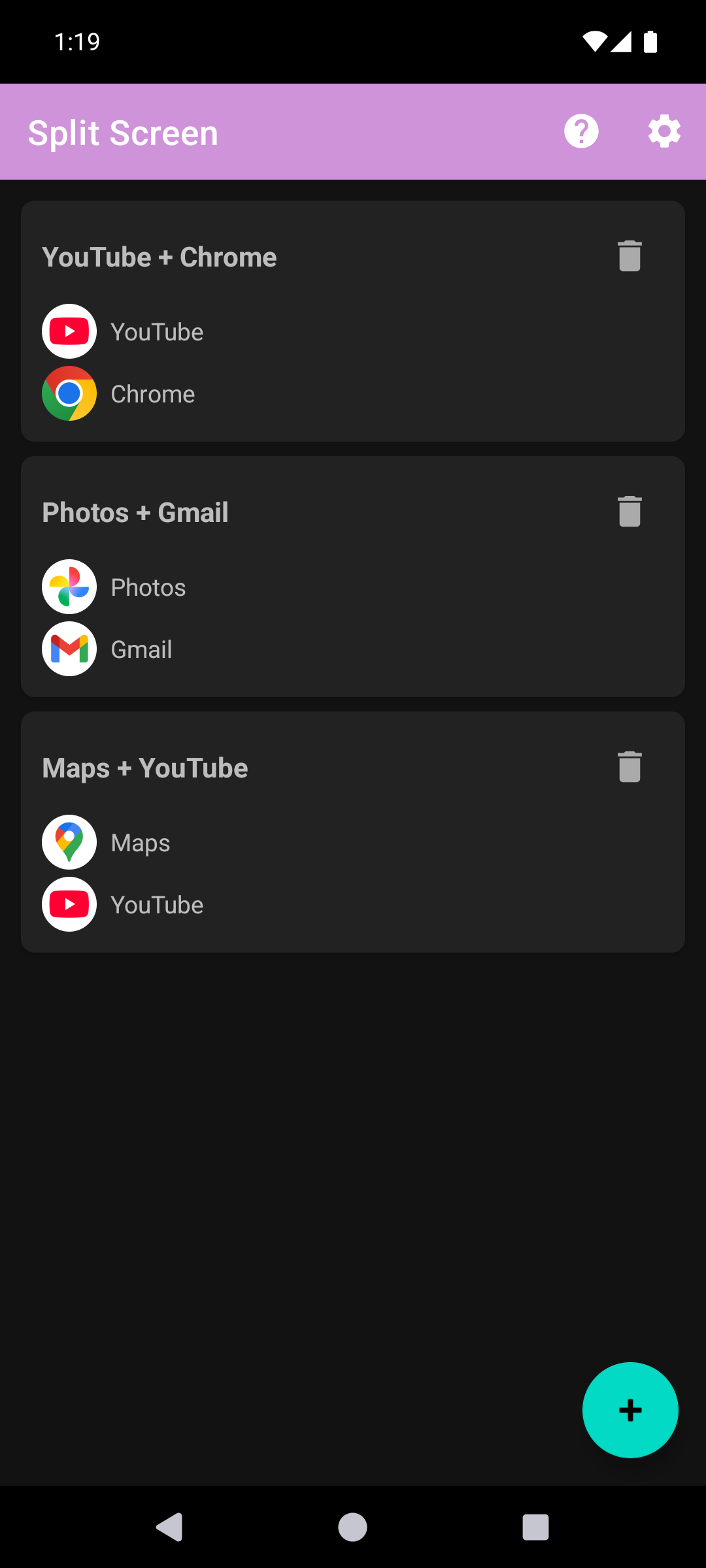
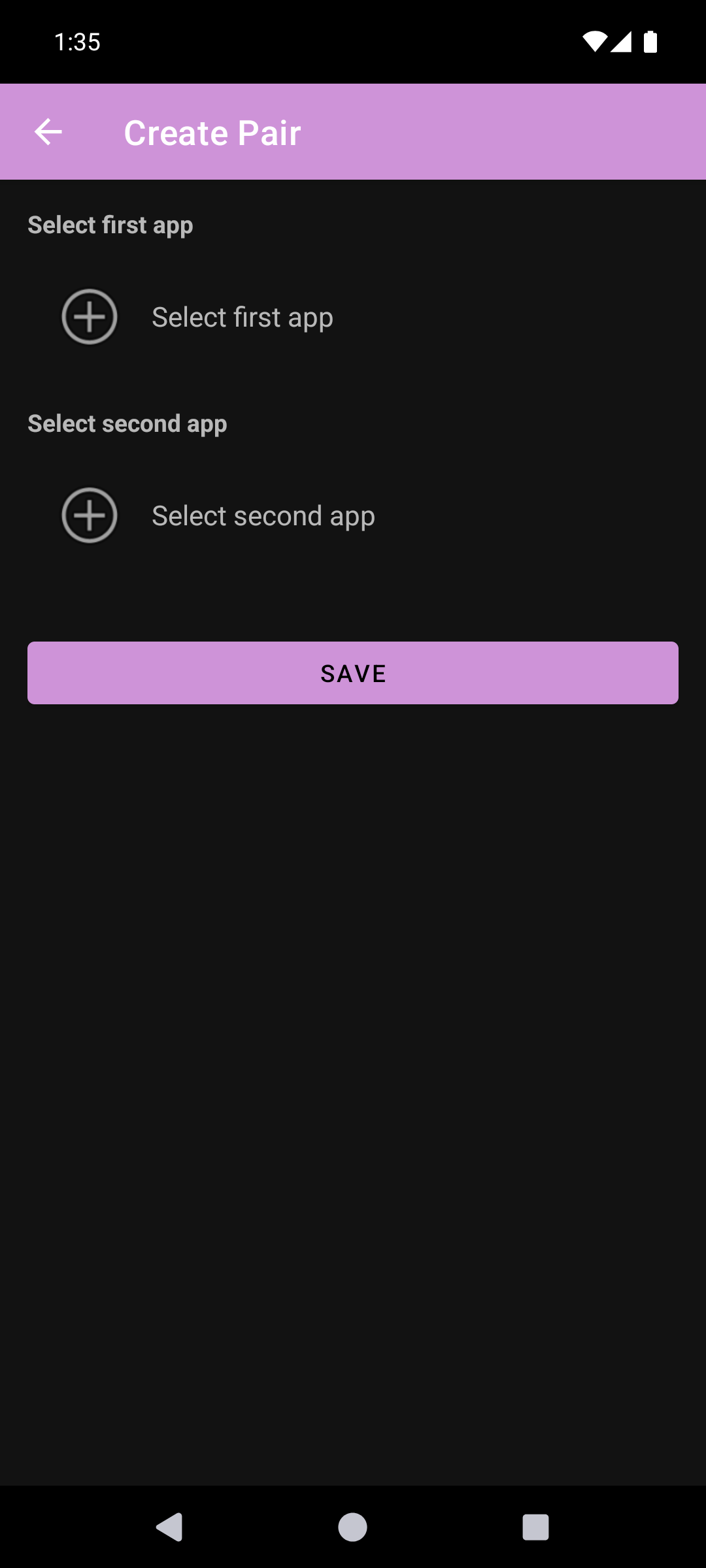
Split Screen Launcher lets you save your favorite app combinations as "pairs" and launch both apps at once in split screen (multitasking) with a single tap. No more picking and arranging apps every time — just create a pair and tap.
[New] SideEdge — a sidebar you can pull out from any screen
Swipe in from the edge of the screen and SideEdge opens, letting you launch a saved pair or a single app on the spot — no need to go back to the home screen. It's an ad-free sidebar that works on any Android phone or tablet, and you can adjust the handle's position, size, color, and transparency to your liking.
Miss launching split-screen app pairs from your old phone's sidebar? SideEdge brings that favorite feature back to any Android device.
Common Uses
Photos + Music: Browse your photos while music plays
Video + Social: Watch YouTube while checking Instagram
Research + Notes: Search in Chrome while jotting things down
Work + Comms: Keep Gmail and Slack side by side
Compare + Calculate: Put your browser next to a calculator
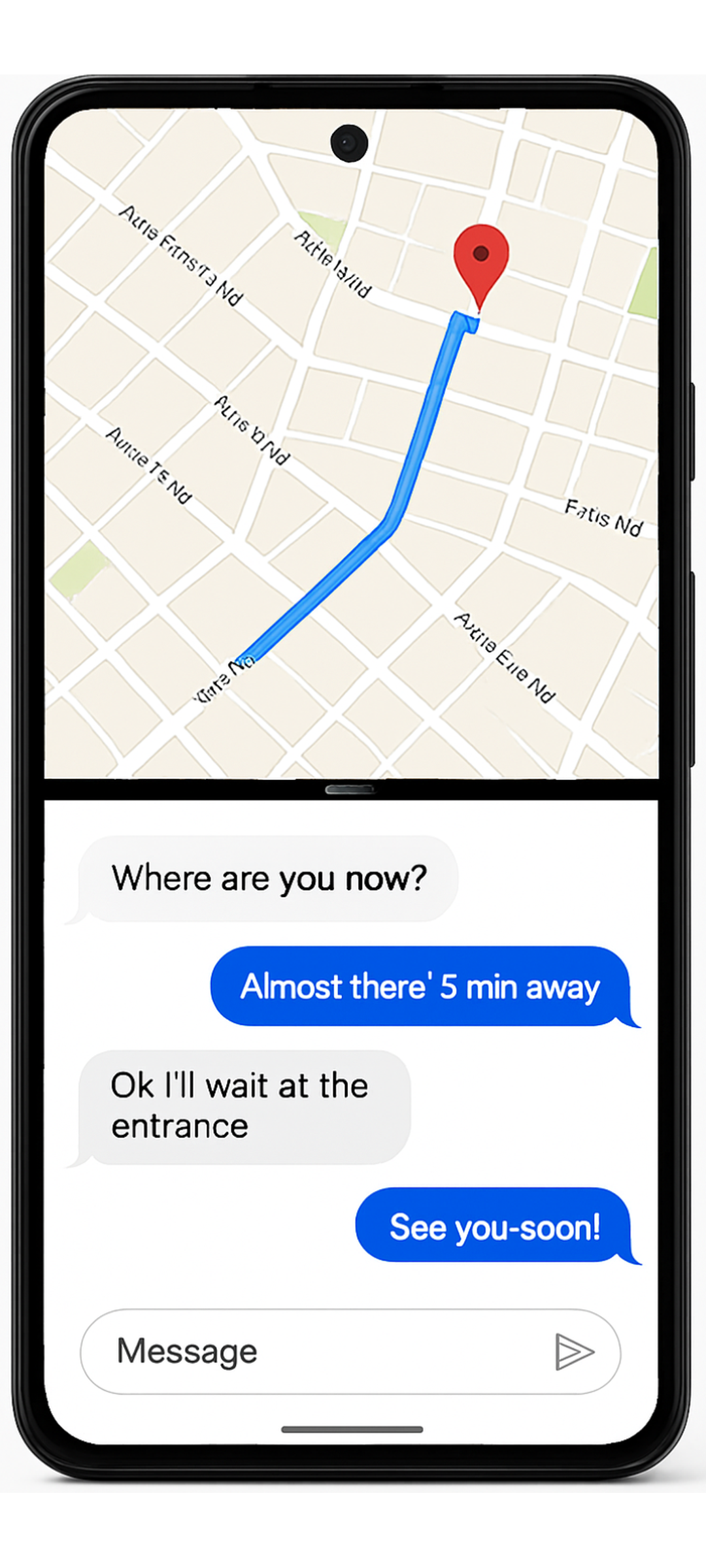
Navigate + Chat: Check your route on Maps while sending a message
Automation: Maps and music when you get in the car, Spotify and notes when you plug in your earphones. Your saved pairs are ready when you are (works with automation apps like MacroDroid, Tasker, or Automate).
Key Features
- Create, save, and launch app pairs or single apps with one tap
- SideEdge — a pull-out sidebar to launch pairs and apps from any screen
- Drag-to-Split — drag an app from SideEdge onto your current app to split them on the spot
- Android Shortcuts support — open saved pairs or single apps automatically by time, location, or Bluetooth (works with automation apps like MacroDroid, Tasker, or Automate).
- Per-entry screen orientation — auto-rotate on/off, plus portrait and landscape lock for pairs or single apps. Locked pairs open the split already in the right orientation — ideal for landscape games and video
- Home-screen shortcuts — pin a pair to your home screen for one-tap launch
- Organize pairs in folders
- Custom colors
- Reorder pairs by drag and drop
- Backup & restore
- Dark mode
- 15 languages with in-app language switcher EN, JA, KO, ZH-CN, ZH-TW, ES, PT-BR, FR, DE, IT, RU, AR, HI, TH, VI
- Lightweight and simple
Support the Developer
The free version saves up to 2 slots. Each slot holds either an app pair or a single app. SideEdge, Drag-to-Split, dark mode, and all 15 languages are included at no cost. Everything else — unlimited slots, home-screen shortcuts, folders, custom colors, reordering, Android Shortcuts, and backup & restore — unlocks with Pro. Upgrading to Pro keeps the app ad-free and supports continued independent development.
Thank you to everyone who supports this app!
Accessibility API Usage
This app uses the Accessibility Service for two purposes only:
1) To trigger split-screen mode on Android 9-12 (not needed on Android 12L and newer).
2) So SideEdge can automatically recognize login and password entry screens and hide its handle so it never blocks your taps (it restores automatically once you are done).
The service never reads, collects, or transmits any screen content.
What users say
This is the best app in its category. I just tested several similar apps and they all require you sacrifice your soul and they don't even work reliably. Then I stumbled upon this and it just works. No questions asked, no unnecessary permissions request and it works completely offline. Big thank you to the developers. For anyone finding it difficult to make it work with whatsapp, just make the whatsapp app be at the bottom. I find that to work for me.
best app at what it does, so much easier than any OS implemented split screen as well, which is what sold me. I bought a lifetime. note, restore purchase didn't work on my other phone, so I clicked to buy again and then it triggers, you own this. 👍😄 TYSM!
This app just works! No server-side, data mining. The developer is very attentive and is open to feature requests. I requested a new feature and a day later it was there in an update. Get the "Pro" version!
I just purchased this app after trying out a few other apps (that did not work). I sure am glad I got it. I run this app in my BYD Sealion 7 android car play AI box and it works as promised. No complex handling. Plain and simple pairing of any apps. I normally run maps with Spotify and when my wife is in the passenger seat, I run maps with Netflix (for her). Kudos to you for creating this wonderful app. Keep updating. Thanks
No any ads, Best experience. My Redmi 14C doesn't have this split screen option so this app is a blessing for me. Highly recommended.
best app for split screen it worked on my Redmi A3, Redmi A3 does not support split screen
Wow, actually great, cuz it has no ads and it's very simple to use, nice UI.
great productivity tool, what I do is to pair time sink apps with good for me apps; think vlc + anki
Show more reviews
РусскийЛучшее приложение среди конкурентов. Перепробовал не мало
EnglishThe best app among its competitors. I've tried quite a few.
Portuguêso melhor e grátis pode instalar e top
EnglishThe best — and it's free. Install it. Top notch.
good working without any ads
Tiếng Việtchia đôi video và chơi game
EnglishSplit screen for video and gaming.
Françaisj'aime
EnglishI like it.
ไทยดีมาก
EnglishVery good.
Azərbaycancaçox gözəl
EnglishVery nice.
فارسیخیلی خوبه
EnglishVery good.
perfect
Nederlandsop
EnglishOP (overpowered).
good spilt
via Google Play
Free, no ads. Try it on Google Play.
Get it on Google Play